






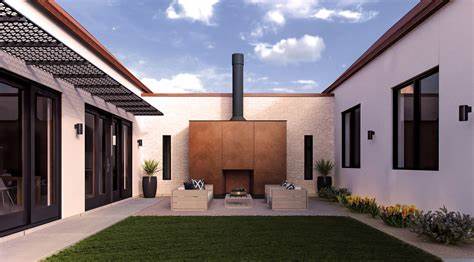
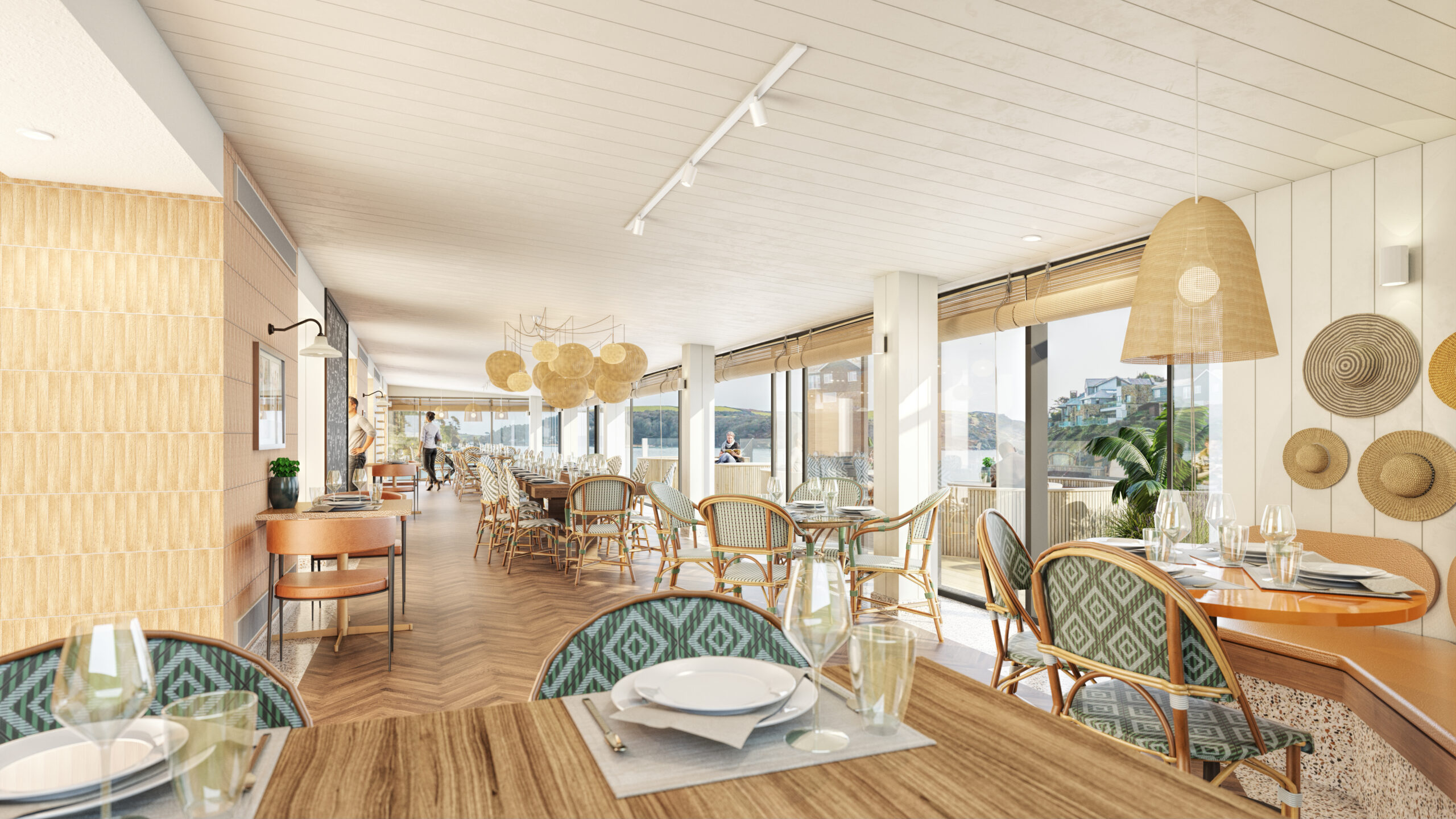
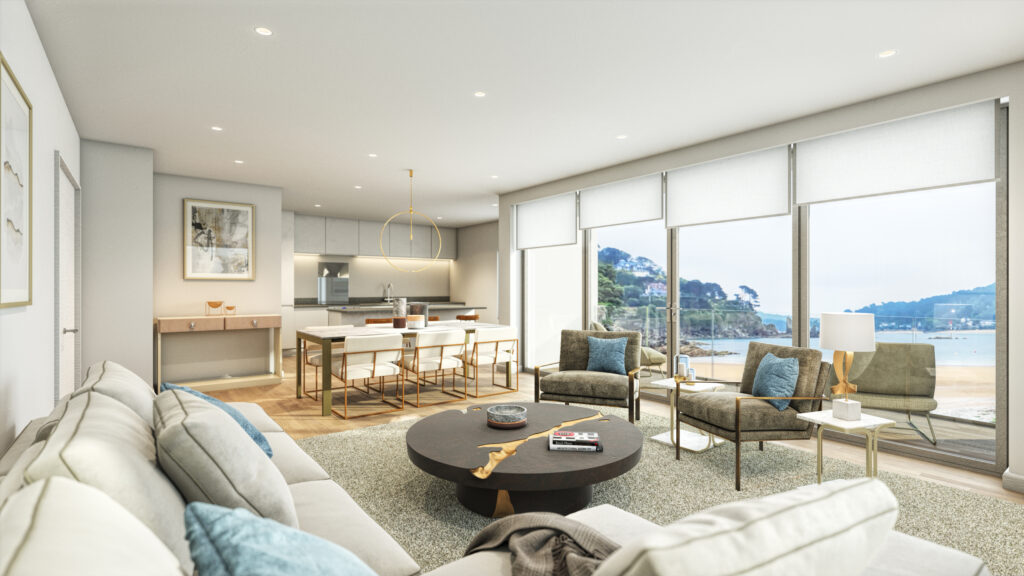
It’s a lot like magic. Seeing the amazing su podium v2.6 plus rendering plug in doing its thing is inspiring. It’s just one of a load of exceptional plug-ins and extensions designed to boost creativity, speed up your workflow, and let you design ‘fantastic’ every time with ease and confidence. It’s ideal when you want to turn your SketchUp model into a stunning photo-real image with totally convincing lighting, material properties, reflection, and refraction.
So what’s it like in the wonderful world of SU Podium? What is SU Podium, and why will you love it? What are the features? If you’re researching the Podium Sketchup plugin, by the end of this guide you’ll know exactly how exciting it is. Improve your designs, love 3D design more, free your creative spirit…
What is the SU Podium SketchUp Plugin?
What is SU Podium? Our philosophy is to simplify a dazzlingly good rendering process as much as we can. SU Podium is one of the ways we do it. It’s a dream when you want to transform your SketchUp scene into a beautiful photorealistic image efficiently. ‘Amazing’ is a pretty good word for the effect.
The SU podium v2.6 plus rendering plug in uses a high-end, biassed raytracing engine. The software blends this with a physical sky system plus calibrated presets. The impressive level of care that’s gone into the plugin means SketchUp rendering is very easy, as well as fun.
There’s SketchUp SU Podium plugin for both Mac and Windows machines. It’s not just a pleasure to learn. It’ll bring your drawings to sparkling life faster than ever. Rendering has never been so straightforward, or this convincing. Clients will see exactly what you’re proposing, lit realistically, either ambient or directionally. Breathtaking is the word.
Why Use SU Podium
Why use the SU Podium SketchUp plugin? You’ll love the SU podium v2.6 plus plug in because it thrills your clients with its realism, adding real-world accents and character to every kind of design. You’ll have a great time learning to use it. All the clever code is under the hood so you don’t have to think – just build. There’s nothing like seeing a design in vivid 3d life, lit from any angle via multiple sources with absolute realism. When you achieve it in a short time, your creativity takes off.
Give it a bit of experimentation and literally everyone can create beautiful, photo-realistic renders from SketchUp models without the frustrations you sometimes get with a new tool. SU Podium runs completely inside SketchUp, so you use the simple SketchUp features you’re already familiar with.
The whole process supports better creativity, saving time as well as well as giving you impressive results. SU Podium is intuitive to people who already use SketchUp. As a beginner you’ll be amazed how easy it is. The interface and versatile presets cut your learning curve from months to hours. This is the way 3D design should be.
Doesn’t it sound great? Next we’ll detail the SU podium v2.6 plus rendering plug in features. Prepare to be inspired.
SU Podium Features
Together, the Su Podium features list gives you infinite lighting design choices, all with super-fast rendering across platforms. The latest version, SU Podium 2.6 version, comes with all this.
Raytracing and Global Illumination: SU Podium uses a photon mapping algorithm to give you the accurate raytracing and global illumination you need to impress clients, learn more, and inspire you onwards.
The impressive photo-realistic images you get give vibrant life to your work, letting others picture exactly what’s in your mind. The tech behind the magic doesn’t matter. As a user you just dive in and get going. Realistic reflection and lighting is yours in no time.
Lighting up exteriors and interiors: A drawing with flat lighting lacks life. Maybe you want to showcase your design by moonlight, in full sun, or at sunrise. The tool lets you design life-like lighting indoors and out, quickly.
Artificial Lights: The sun and artificial lighting come with very different effects. One size never fits all. When you add artificial light to a design in the right way it adds context, deepening the experience for the people who see your work.
Podium Browser: Podium Browser is a huge component library with more than 30,000 high quality models and photo-realistic Podium materials. They’re render-ready in SketchUp using SU Podium. You get Podium Browser with SU Podium V2.6, or buy separately. Save time, save hassle, fire up your imagination.
Post Processing with Podium Image Editor: Podium Image Editor is a comprehensive, feature-rich 2D image editor that works inside SketchUp. You make fast, easy edits to SU Podium generated images including lighting, adding background, blending with other images, cropping, overlays, and more. The result is stunning images designed to make an impact.
Panoramic Rendering: The SU Podium Panorama feature creates awesome 360° X 180° panoramic sphere images of rendered equi-rectangular images. It means you and your clients can experience your finished panorama VR in a powerful virtual 360 spherical environment, on any device. Go the extra mile like this and your designs are even more convincing.
Multi-Threading: SU Podium’s multi-threading feature takes advantage of CPU cores and threads by doing multiple things at once, saving resources. It isn’t a hybrid render-engine. If you’d like a GPU based solution, we recommend ProWalker GPU powered by NVIDIA Iray.
Cross-platform accessibility: SU Podium V2.6 supports Windows and Macs. We provide support for SketchUp 2017 (Windows only) 2018, 2019, 2020, 2021, and 2022. If you use an older SketchUp version, install SU Podium V2.5, backward compatible to SketchUp 2014.
For loads of tutorials in SketchUp and SketchUp plugins, go here. To find out about SketchUp Pro, click here.
SU Podium Free Trial
Do you want to experience it for yourself? Great! There’s a SU Podium free trial available. Here’s how to test-drive the plug-in for a full 7 days, for nothing. Go here to download our free, 7 day free trial version of SU Podium.
As an existing SU Podium user, you can download the Trial version and activate your licence using your SU Podium licence code.
It’s easy. Just enter your name and e-mail address. We’ll add your email address to the SU Plugins What’s New e-news database, sending you a newsletter twice a month.
Our What’s New emails announce news and updates for SU Podium, Podium Browser, and Podium Walker, plus tips and tutorials for photo-realistic rendering in SU Podium. You can opt out and unsubscribe from the e-news database any time you like.
Architextures is a fantastic way to make custom textures, and visualise scenes with textures. Another of the best SketchUp plugins. It’s free. You’ll find it in the Extension Warehouse, developed by Architextures in collaboration with KG-dev. The pro version costs $70.
This is how you make and edit a multitude of seamless textures, bump maps, and hatches. It’s perfect for Interior Design, Architecture, and Landscape Architecture projects. You create your textures using the Architextures web app directly in SketchUp.
Import materials instantly. Test material options for your design without downloading. No need to import and scale materials manually. Edit the textures you’ve imported later, simply right-clicking on a face with the material assigned then selecting ‘Edit with Architextures’.

 ).
). ). Then move your cursor to the right and click again. A rectangle appears on the ground, as shown here.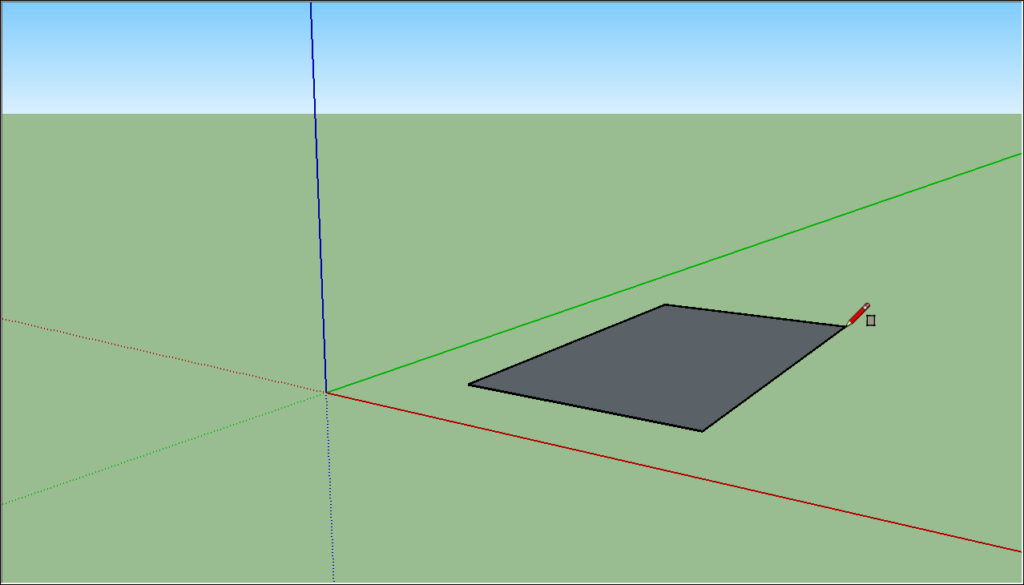
 ), and place the Push/Pull cursor over the rectangle you just created, as shown in the following figure.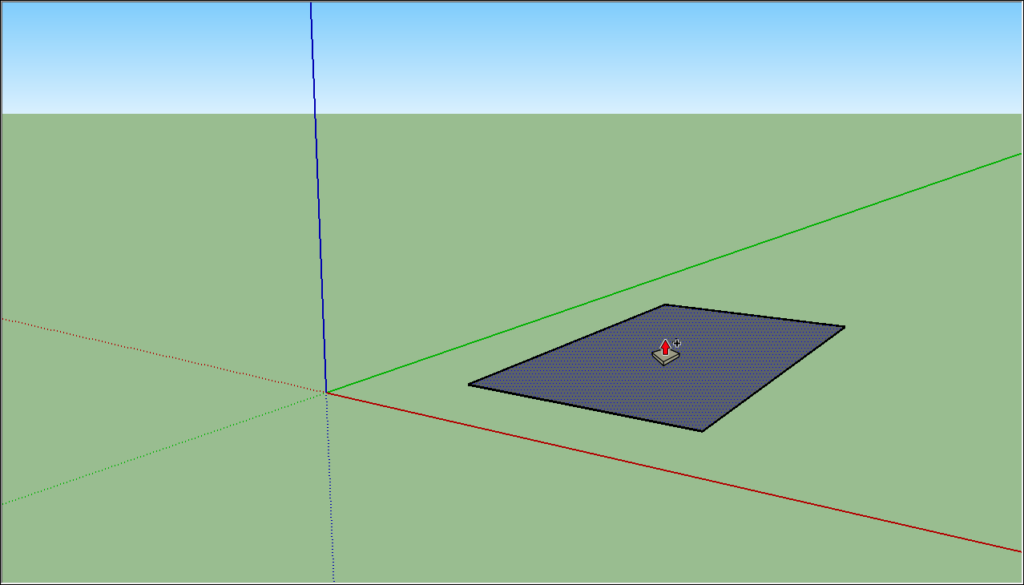
 ). Place the Orbit cursor above your shape. Then click and hold while you move the mouse down. Notice how the view of your shape changes, as shown in the following figure. Practice clicking and dragging with the Orbit tool as much as you like. It’s a pretty fun tool!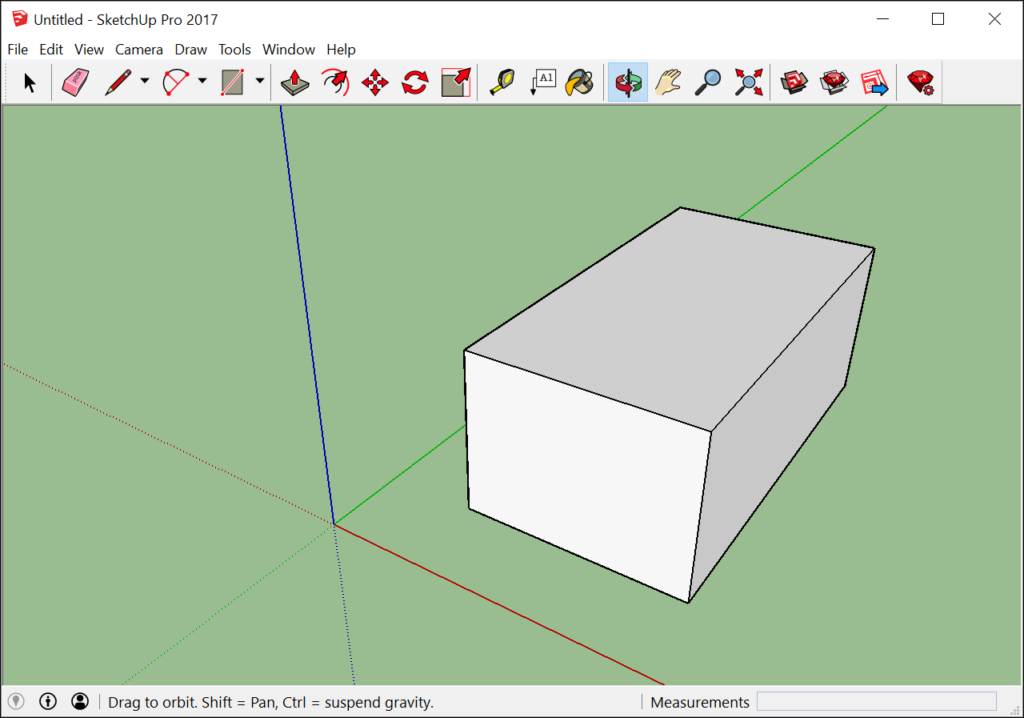
 ). If you orbit around until you lose track of where you are in your model, the Zoom Extents button is a handy way to reorient yourself.
 ) and you can zoom in and out that way, too.
 ).
).